
Cosmos
editingFind past projects quickly to support sales pitches
AI video tools cover a broad range of tasks: generating videos from text or images, editing existing footage, transcribing spoken content, creating thumbnails, and repurposing long-form content into short clips. With 476 tools in this category, it is one of the largest AI segments and reflects how central video has become to marketing, education, and entertainment.
Find past projects quickly to support sales pitches

Enhance video resolution and clarity using AI upscaling

Create professional product videos with AI script and voiceover generation

Generate videos from text prompts with AI-created visuals

Video to presentation conversion

AI video generation from text

Video to text conversion and analysis

Summarize YouTube videos with a right-click

Turn founder interviews into short-form LinkedIn content

AI clipping tool that pays you commission
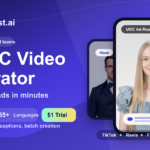
Match UGC to your buyer persona

Generate videos and images with top AI models

Create marketing videos from text prompts

Generate marketing videos from text prompts

AI video creation from text prompts and templates

Create customizable videos from text prompts in seconds
Convert videos into optimized AI image generation prompts

Compare and generate videos with pay-as-you-go pricing

Generate video ads from text and product descriptions

Make social videos in minutes without learning complex editing

Create and auto-post faceless short-form videos to social channels

Generate videos from text prompts and images with customizable styles

Add captions, transcripts, and subtitles to video

Turn raw footage into polished video with one click, plus multilingual dubbing and lip-sync
The category splits into several functional clusters. Generation tools like Vidnami and Video Studio AI create videos from scripts or static assets, while clipping tools such as Clip FM and Zapclip extract the best moments from long recordings for social media. Transcription tools like TubeToText and Vid2txt convert audio to text for captions or republishing. Then there are niche tools like ASMR AI and Get Selfie Pov that target specific content formats. When choosing, start by identifying your core task: creating from scratch, editing existing footage, or repurposing. Resolution limits, export formats, and watermarking policies vary significantly across free tiers. Many tools charge per minute of output video, so high-volume users should calculate monthly costs carefully before committing. For content creators, API access and batch-processing options matter more than polished UIs; for occasional users, simplicity and quick turnaround often outweigh feature depth.