

Pros & cons
Our analysisPros
- Zero setup — runs entirely in browser
- From creators of PyTorch Lightning
- Supports GPU clusters and batch jobs
- Free tier with pay-per-token APIs
Cons
- API access is waitlisted
- Browser-only may limit heavy workflows
- Advanced integrations still in rollout
What users say
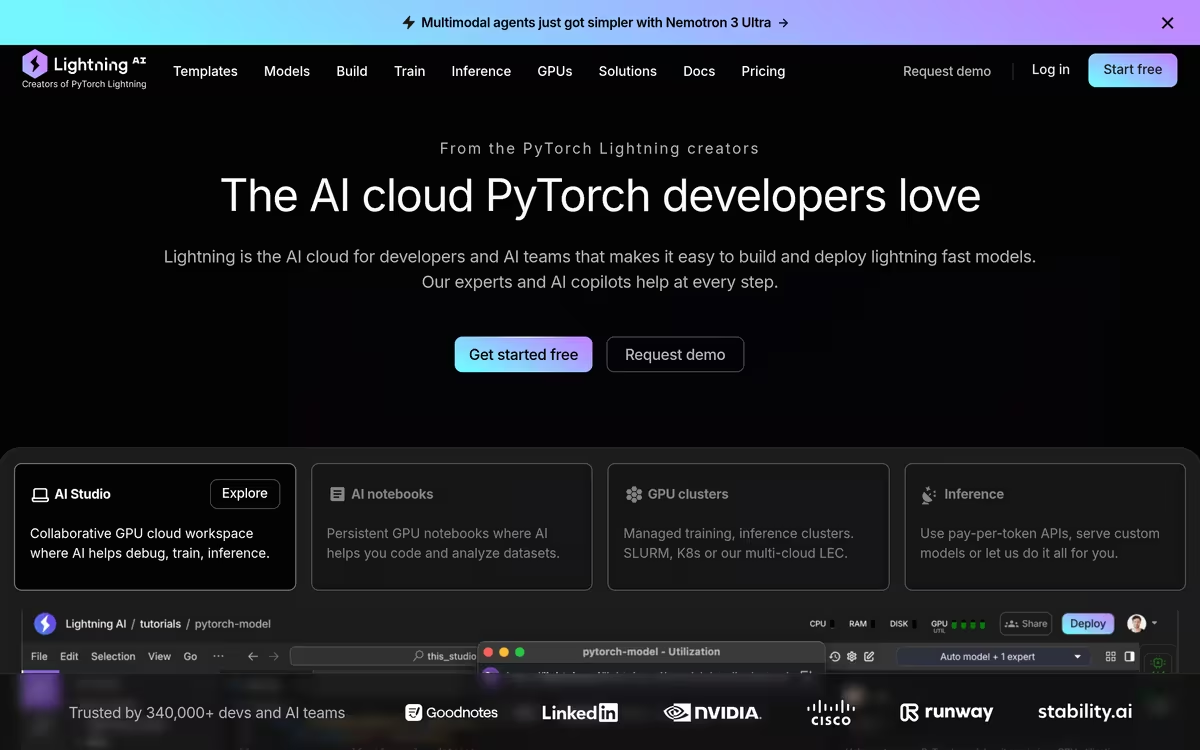
Lightning AI is commonly used by machine learning practitioners who want to code, train, and deploy models without configuring local environments. A frequently noted strength is the zero-setup browser experience backed by GPU clusters and AI notebooks. A common limitation is that full API access remains on a waitlist, slowing integration for teams ready to scale.
Editorial summary based on public information.
Best for
AI developers prototyping and training models without local setup
Manually choose competitor  Lightning AI
 GitHub Copilot
 Hugging Face
 StockGPT
 Delve
Delve NectarGPT
 SureSteps
 More About IFS Loops Agentic AI Platform
 Raena AI
| Feature | Lightning AI | GitHub Copilot |
|---|---|---|
| Pricing | Free | — |
| Free tier | Yes | No |
| API | Waitlist | No |
| Open source | No | Yes |
| Platforms | Web | Web |
| Models | Lightning | — |
| Context window | 1M | — |
| Launched | 2019 | 2008 |
| Languages | English | — |
| Integrations | GPU Clusters, AI Studio, AI Notebooks +3 more | — |
Top alternatives to Lightning AI
See all alternatives → GitHub Copilot
Understand the Universe. SpaceXAI Org has 9 repositories available. Follow their code on GitHub.
Hugging Face
Open-source hub for ML models, datasets, and inference.

LLaMA
Open language models by Meta

StockGPT
Ask questions about Tesla stock and company information

Delve
Generate synthetic user personas and conduct AI research

NectarGPT
ChatGPT prompt templates for SEO, marketing, and business
Verified Jun 2026
Specs
| Pricing | Free |
|---|---|
| Free tier | Yes |
| API | Waitlist |
| Open source | No |
| Platforms | Web |
| Models | Lightning |
| Languages | English |
| Integrations | GPU Clusters, AI Studio, AI Notebooks, Pay-per-token APIs, Batch Jobs, Inference |
| Context window | 1M |
| Launched | 2019 |